· by NetProtector Security Team
SkyW4lker: The Phishing Kit That Bypasses MFA in Microsoft 365
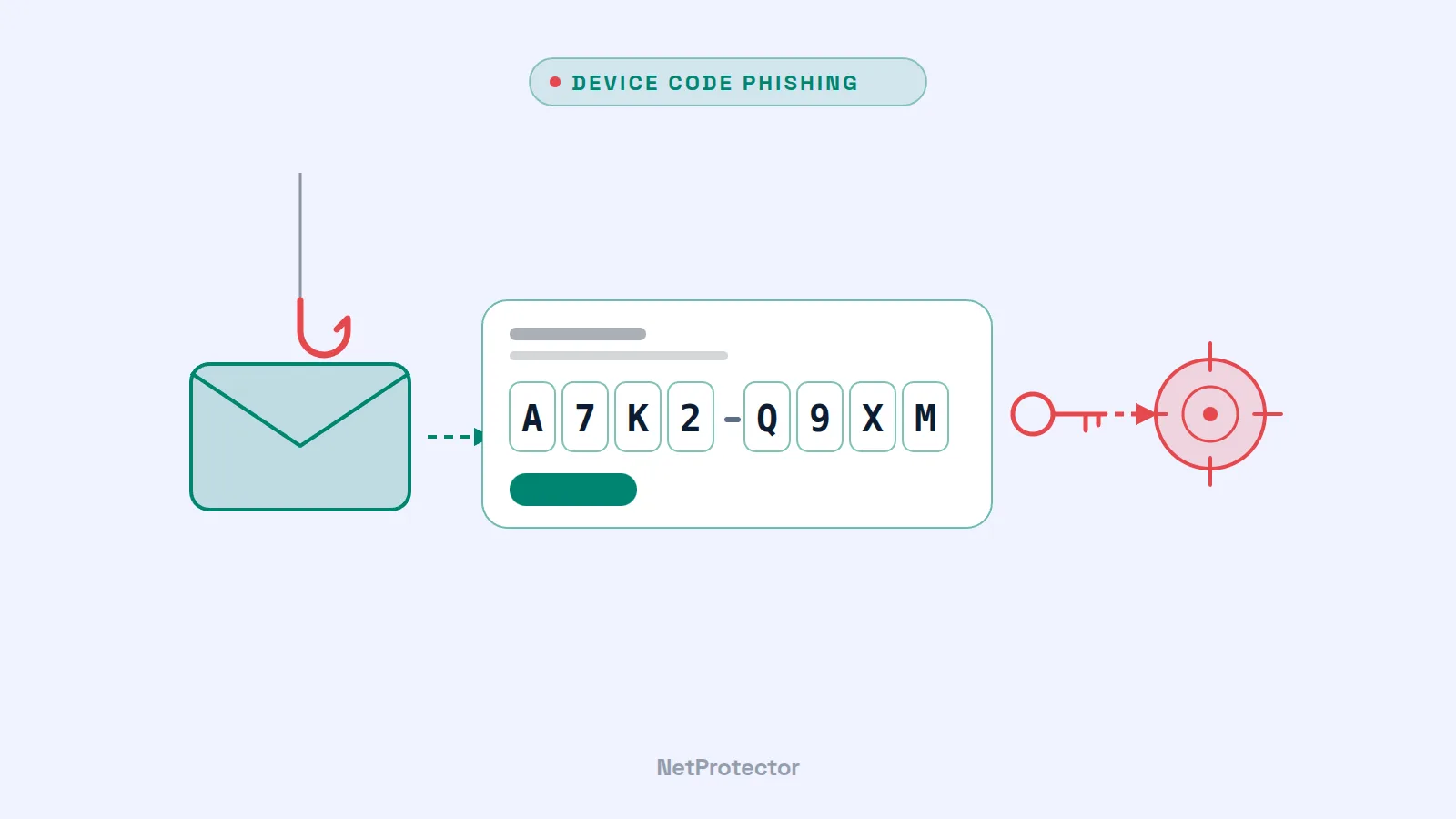
No fake login form, no stolen password – and yet attackers take over the Microsoft 365 account, even with multi-factor authentication enabled. The phishing kit SkyW4lker achieves this by abusing a legitimate Microsoft sign-in feature. Analysts at ANY.RUN examined more than 600 cases between June and October 2026, almost half of them from the US. European companies should be just as familiar with the method.
The trick: device code phishing
Microsoft 365 allows devices without a keyboard – such as conference room systems or smart TVs – to sign in via the so-called Device Code Flow (OAuth 2.0 Device Authorization Grant). The device displays a short code, the user enters it on a genuine Microsoft page and confirms the sign-in – including MFA.
SkyW4lker turns this around: the attacker initiates a device sign-in themselves and gets the victim to enter the attacker's code. Because the sign-in takes place on the genuine Microsoft page and MFA proceeds as usual, hardly anyone becomes suspicious. In the end, the attacker receives valid access tokens for the account – with all of the user's permissions: mailbox, OneDrive, SharePoint, Teams. To do this, the kit's backend polls the sign-in status every second and logs the victim's IP address and location.
What the attack looks like
- Lure: emails in the style of everyday business correspondence – contracts, invoices, quotes, “confidential documents”, subject lines such as “New Submission From” or “Approved Statement”.
- Attachments: password-protected PDF, Word, Excel or EML files, with the password included in the email. This lets them slip past many virus scanners.
- Intermediate hops: links first lead through well-known services such as Google Sites, Google Maps redirects, Miro, Zoom, Axure Cloud or Smartsheet. Their good reputation helps bypass filters.
- Infrastructure: domains with Microsoft-like subdomains and free dynamic DNS addresses; a CAPTCHA (including Cloudflare Turnstile) keeps automated analysis at bay. ANY.RUN counted 173 domains and 92 backend servers, most of them hosted at DigitalOcean.
According to ANY.RUN, SkyW4lker comes from the same developer as Gabagool, a kit known since April 2026 that harvests credentials in the classic way. The two kits are therefore two attack modes of a single platform. The number of analyzed cases rose from 20 in June to around 200 in September.
SkyW4lker is not alone: as early as May 2026, the FBI warned about Kali365, a phishing-as-a-service kit that also abuses device codes and can be rented for around USD 250 per month.
What you should do now
- Block the Device Code Flow wherever it is not needed. In Microsoft Entra ID, device code sign-in can be blocked via Conditional Access (condition “Authentication flows”) – for all users or with exceptions for the few devices that genuinely require it. This is the most effective single measure.
- Monitor sign-in logs. Set up alerts for sign-ins using the “Device Code” protocol – especially for accounts that never otherwise do so, or shortly after suspicious emails.
- Take password-protected attachments seriously. A file with its password in the same email is a classic warning sign. Consider blocking or quarantining such attachments.
- Train your employees: when a code is entered, Microsoft asks which app wants to sign in. Anyone who is not setting up a TV or conference room should not enter a code there – no matter what an email demands.
- Respond correctly if compromise is suspected. Revoke the account's sessions and tokens, reset the password and check what the account has done since the sign-in: new mailbox rules, forwarding, app consents, phishing emails to colleagues or customers.
Our assessment
MFA remains indispensable – but it does not protect against attacks in which the victim confirms the sign-in themselves. Device code phishing, adversary-in-the-middle kits and abused app permissions (as in the ConnectWise case) all point in the same direction: attackers are targeting tokens and identities rather than passwords. The answer lies in consistently restricted sign-in paths, phishing-resistant methods such as FIDO2 keys, and monitoring that makes unusual sign-ins and data access immediately visible.